
Here, you can set the default period filter for the search bar, like today, yesterday, this week , this year etc.
As soon as you will set this filter it will automatically show the data according to the chosen filter.
Steps:
- Go Administrator Module.
- Now click on Settings menu
- Go to General Settings
- Select the Default period from the drop-down options.
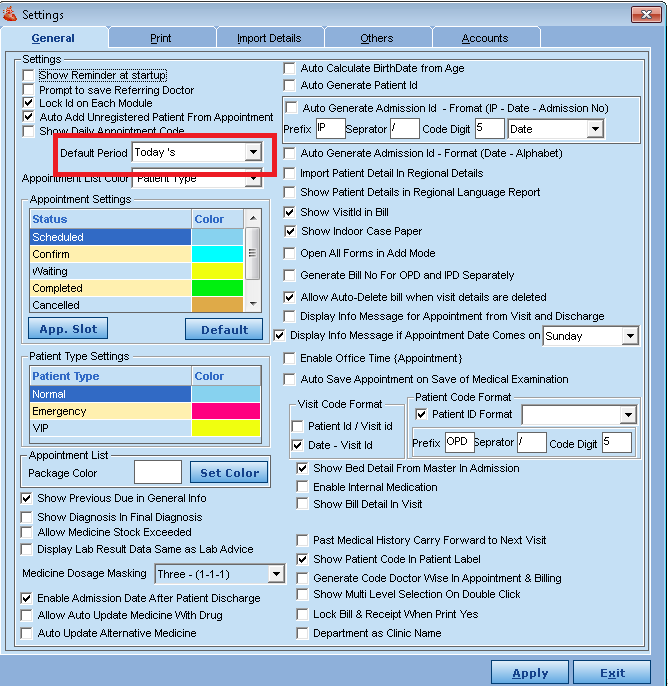
- Click on Apply Button for saving the changes.
- Click on Exit Button.
Comments
0 comments
Please sign in to leave a comment.