
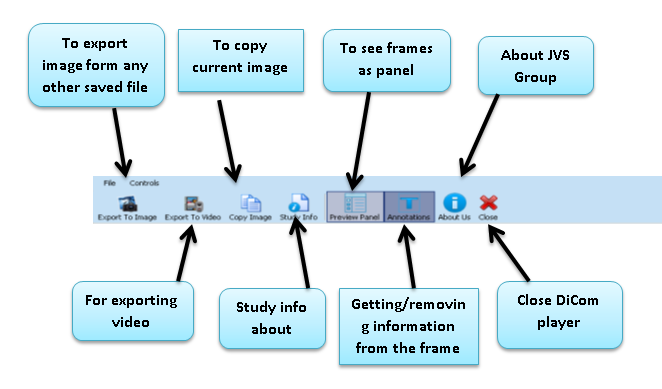
- The toolbar appears at the top of the screen with the different buttons. It displays a lot of tools for you to view the DiCom case file, such as export image/video from any other file, to copy any image from the file, study data related to case, preview panel, get/remove annotation, get information about JVS Group and also close menu for closing the DiCom viewer.
Export DiCom to image file
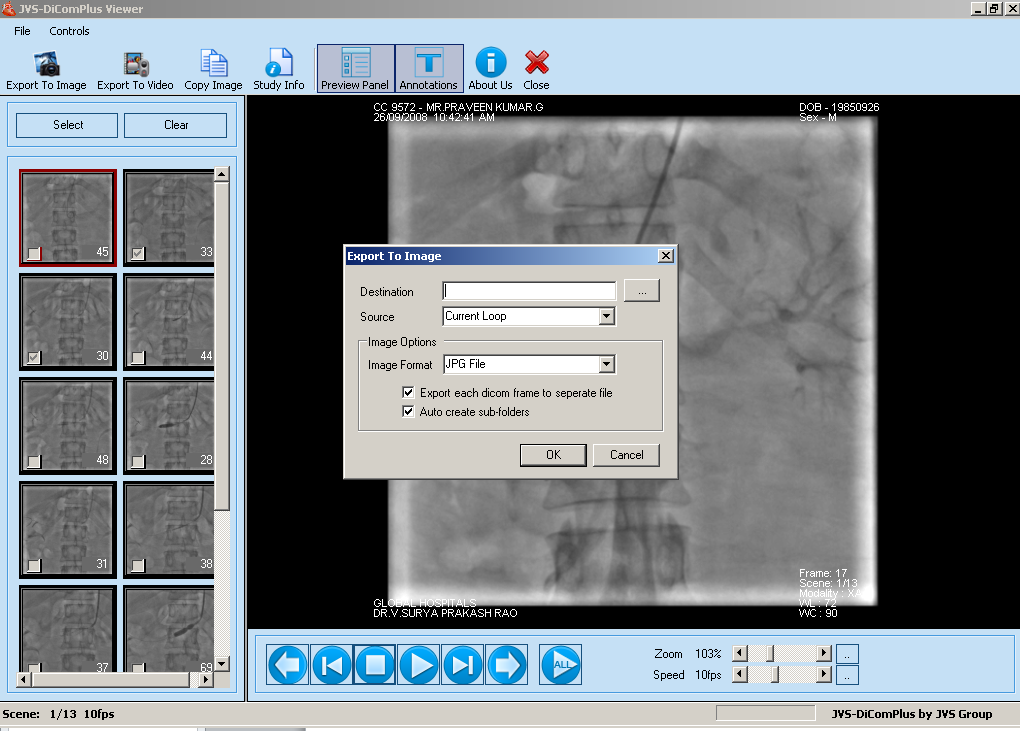
- For export DiCom to the image file, there is a special menu given in toolbar at the first.
- Clicking on export to image button it comes an EXPORT TO IMAGE BOX fill up the box and export DiCom to image file
Export DiCom to AVI file
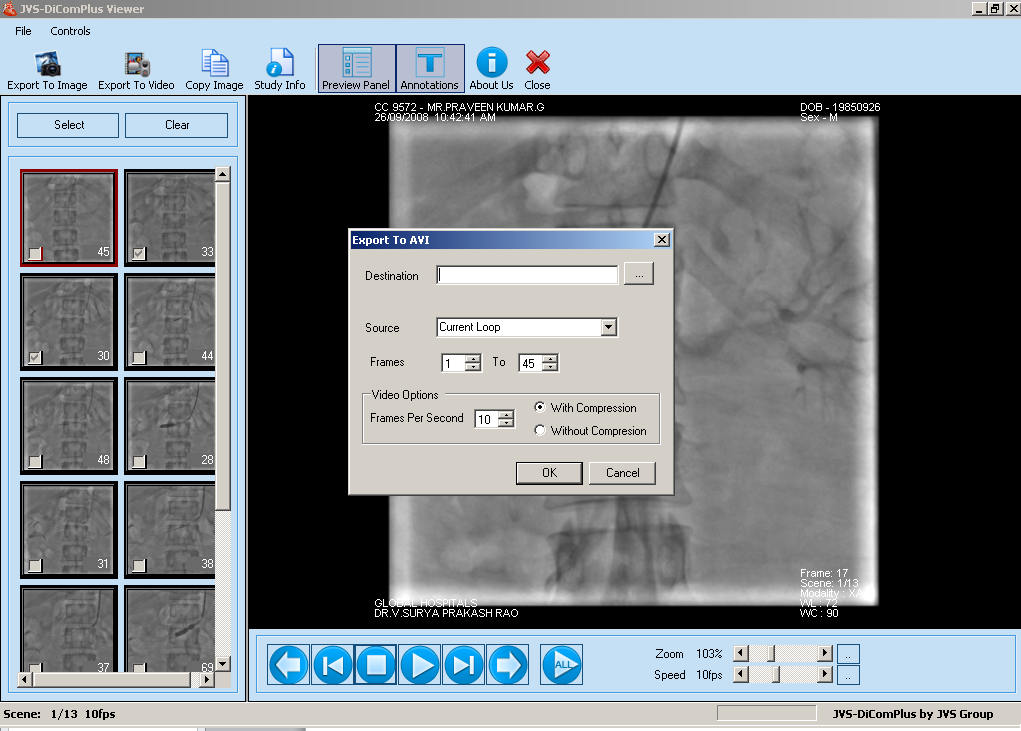
- For export DiCom to AVI file, there is a special menu given in toolbar beside the export to image menu
- Clicking on export to video button it comes an EXPORT TO VIDEO BOX fill up the box and export DiCom to video file
Comments
0 comments
Please sign in to leave a comment.