
Advance Amount Receipt
Advance Amount Receipt will be created for IPD patients who are making payment advance while admitting patients
Below is the step by step procedure to create advance amount receipt
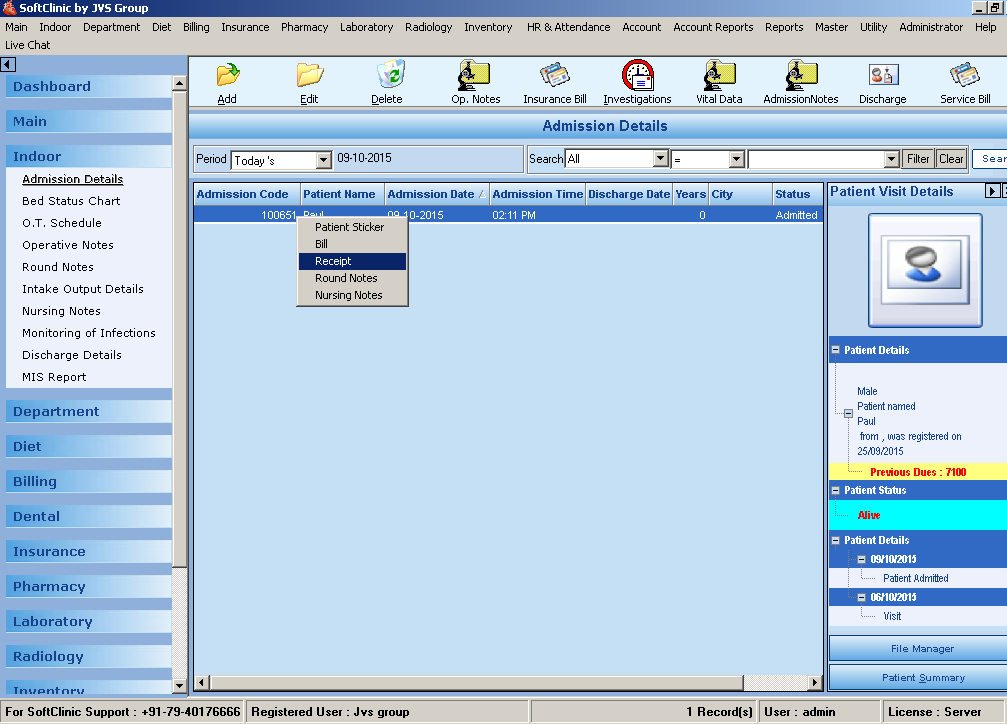
1. Make admission of patient under indoor details after saving record in admission right click on that patient for which you want to create advance receipt
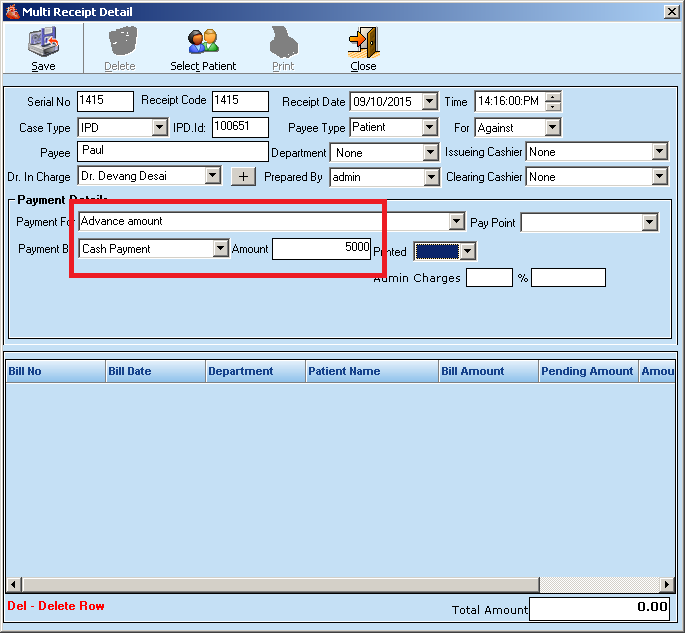
2. It will open below receipt detail screen where to enter the advance amount and save it.
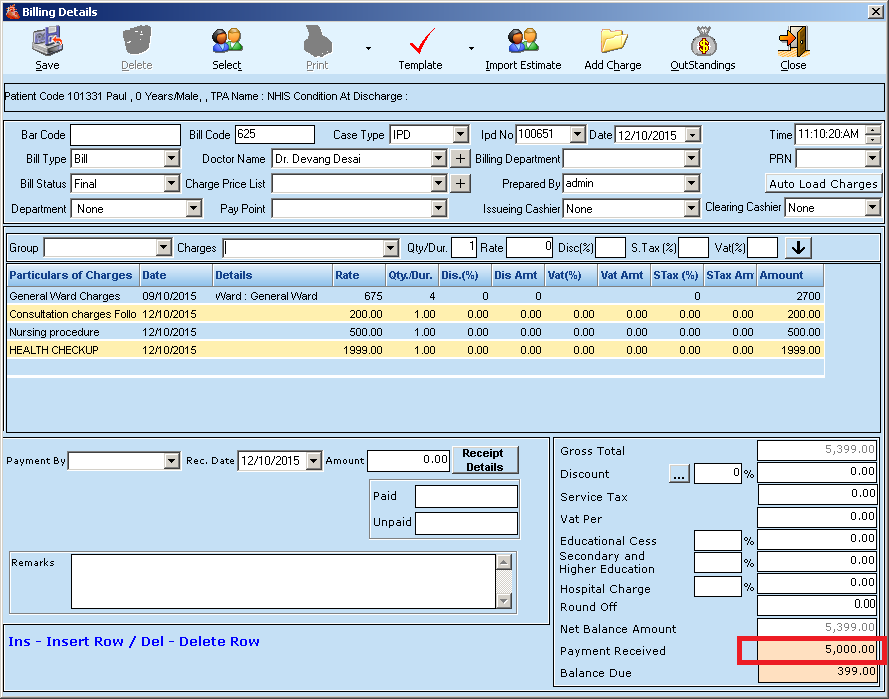
3. After discharge patient right click on the patient to create final bill

4. In that final bill, an advance amount will be auto adjusted in payment received field as shown below.
Comments
0 comments
Please sign in to leave a comment.