
How to Auto load total charges of Pharmacy, Laboratory and Radiology in final Billing
1. Create Charges in charge master as below create same for Laboratory bill charges and radiology bill charges
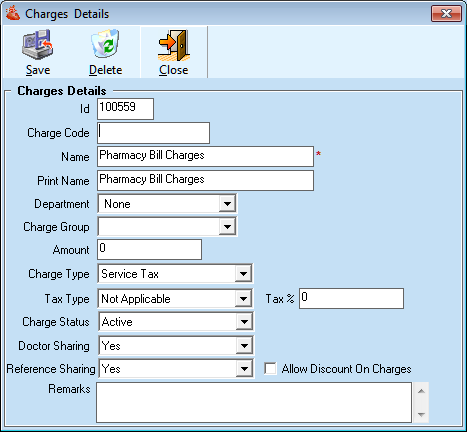
2. Set this charges in Auto load Bill charges settings under Administrator > Admin Settings > Auto Bill Setting
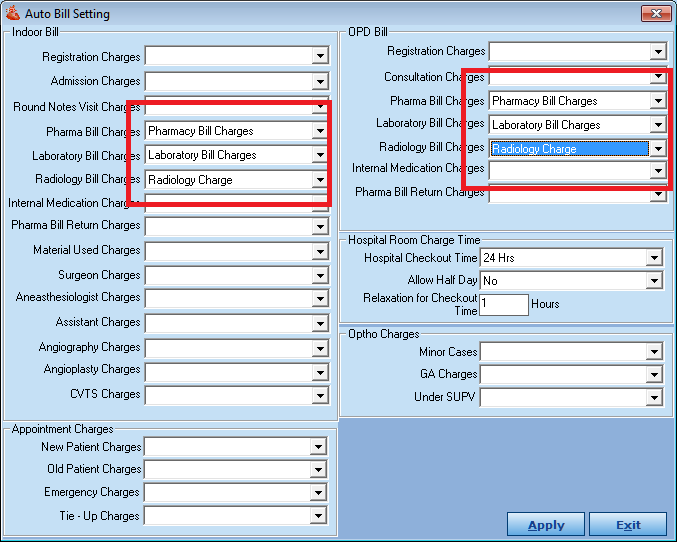
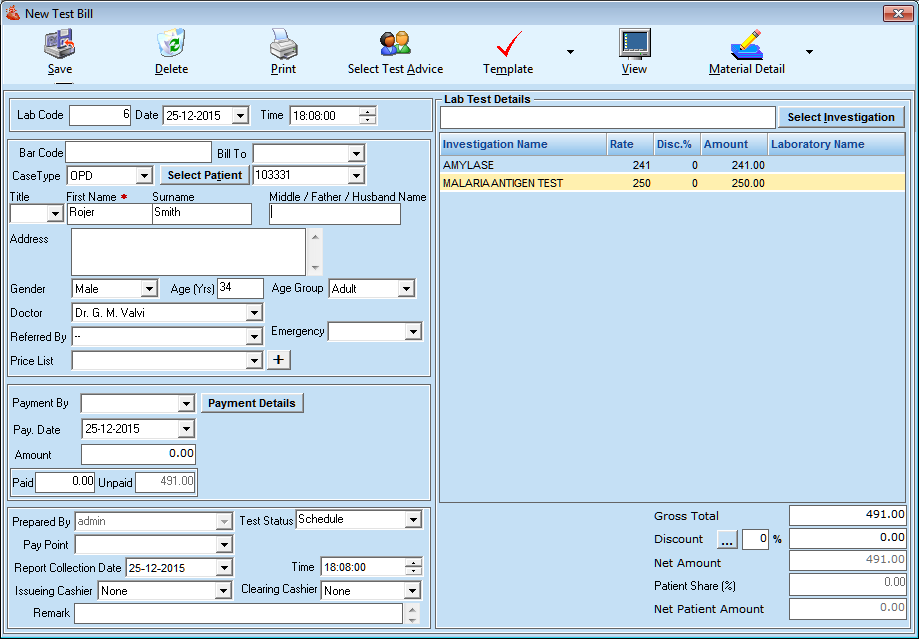
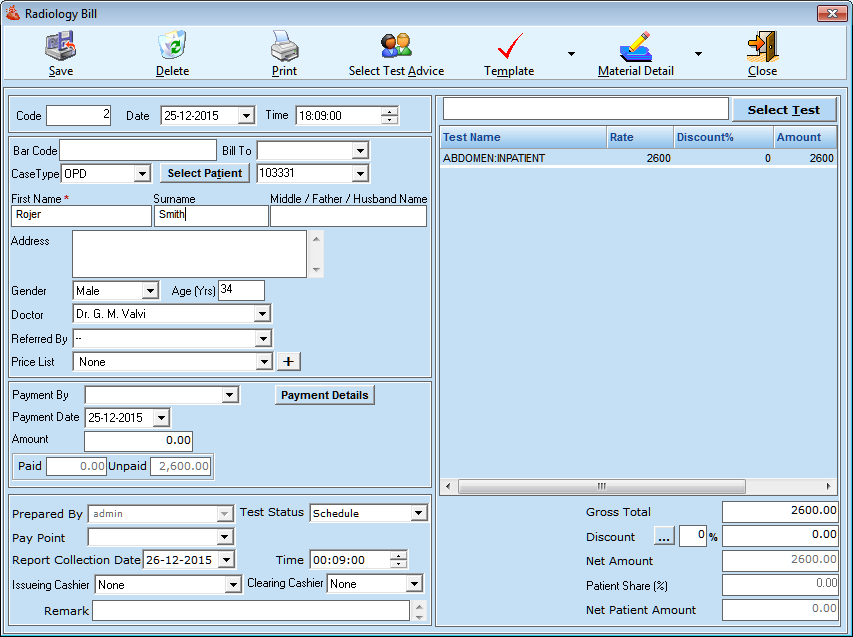
3. Now create bill under individuals module like Pharmacy, Laboratory and Radiology.
- Make sure all bills are created as credit if you make the payment under Particular module it will not merge in final Billing
Lab Bill :
Radiology Bill :
Pharmacy Bill :
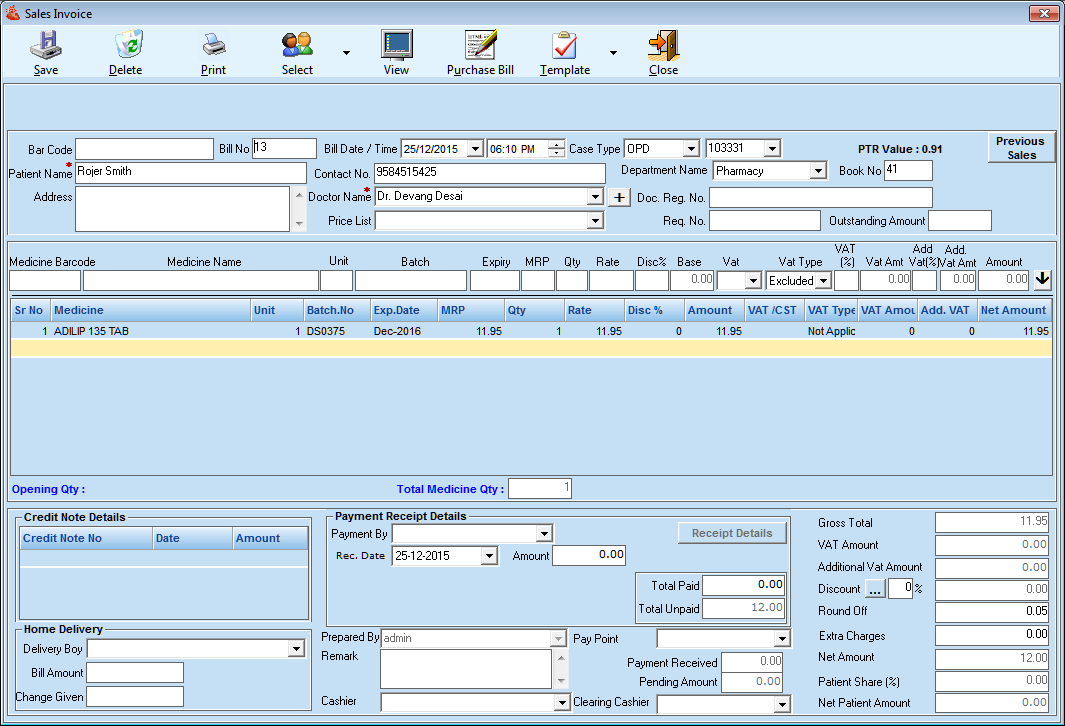
4. Now Create final Bill in billing module where all the charges will be Auto load.
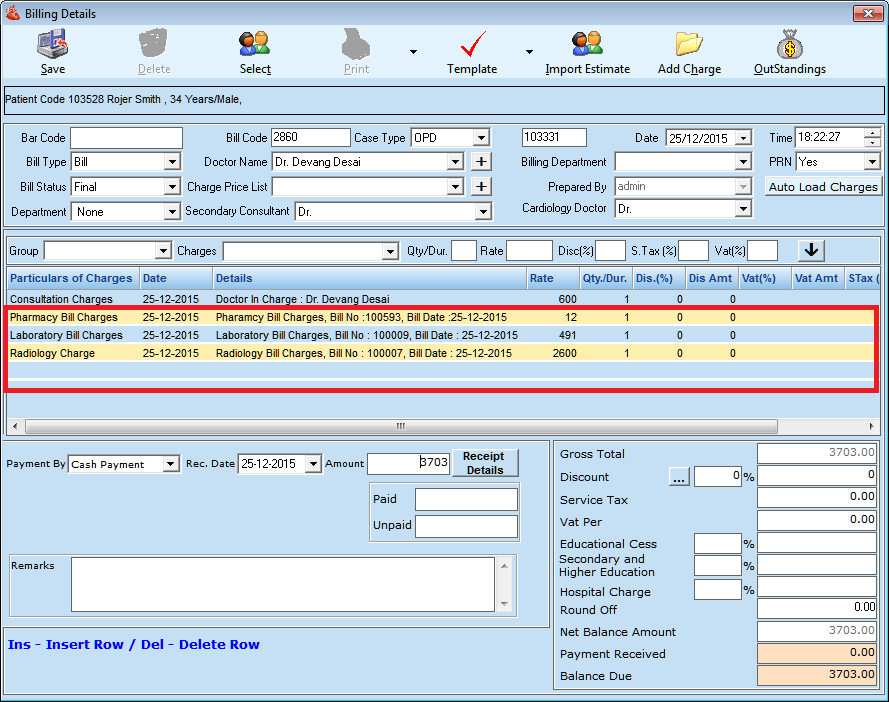
This is how you can maintain a single bill for a different modules.
Comments
0 comments
Please sign in to leave a comment.