
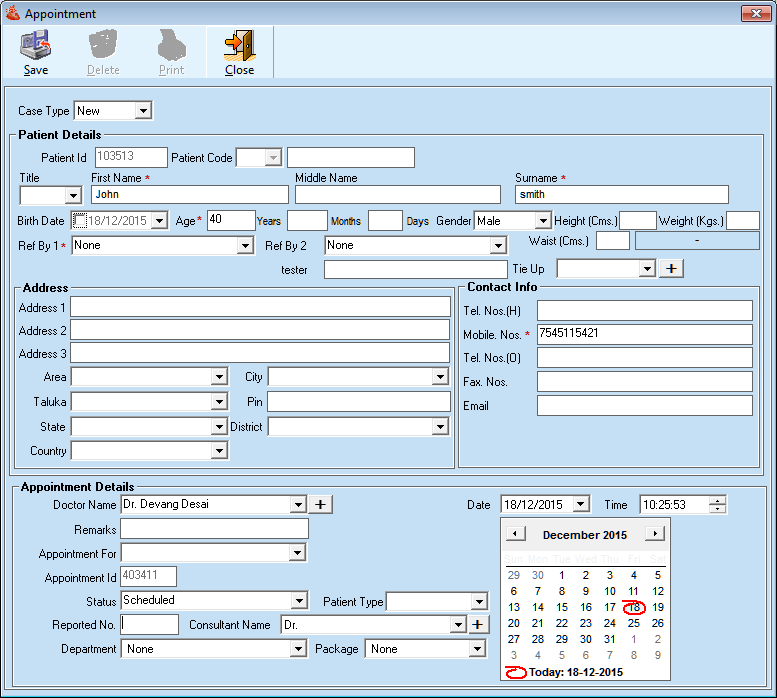
1. Make New entry in Appointment details
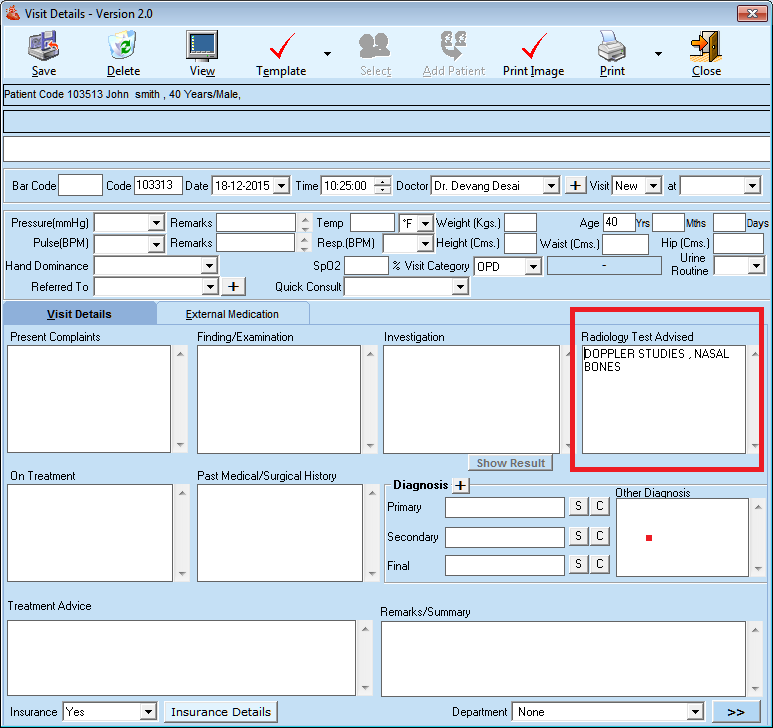
2. Now go to visit detail, edit the visit entry and advice laboratory tests under Radiology Test Advised field.
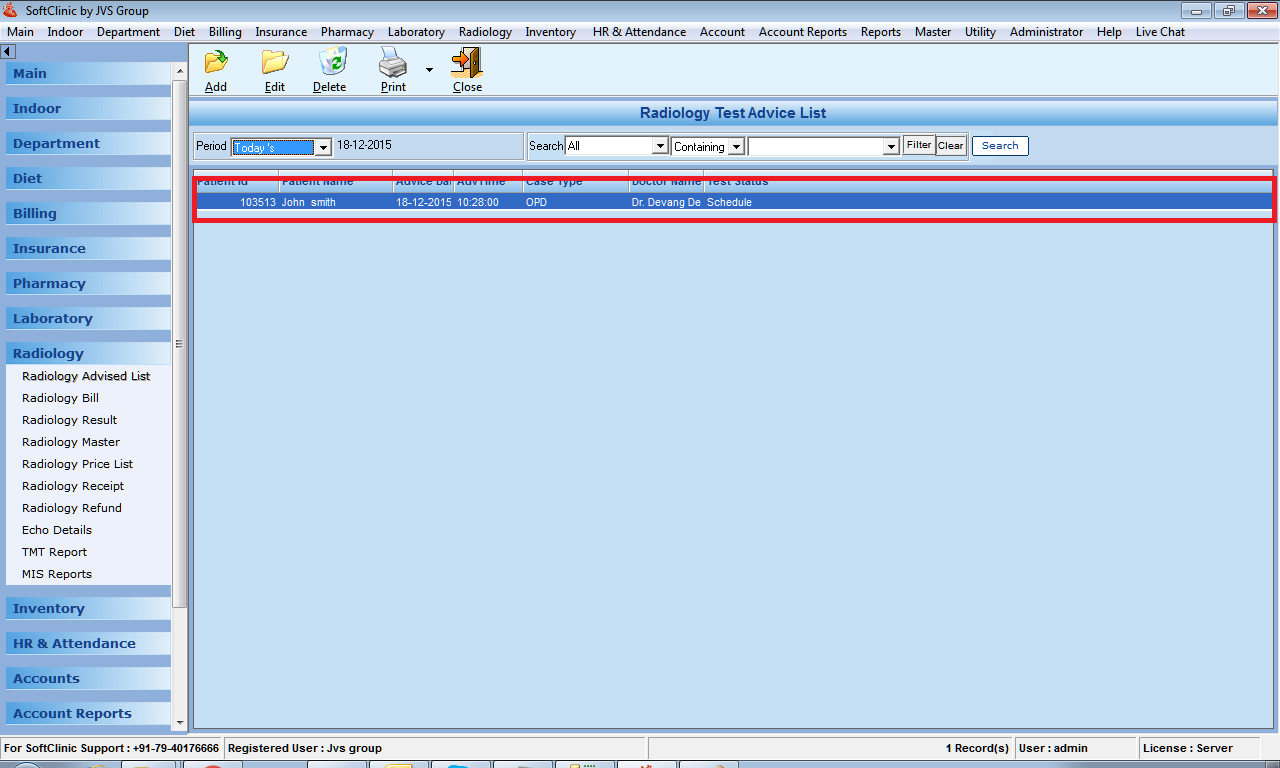
3. Radio advice is created from visit details automatically as below
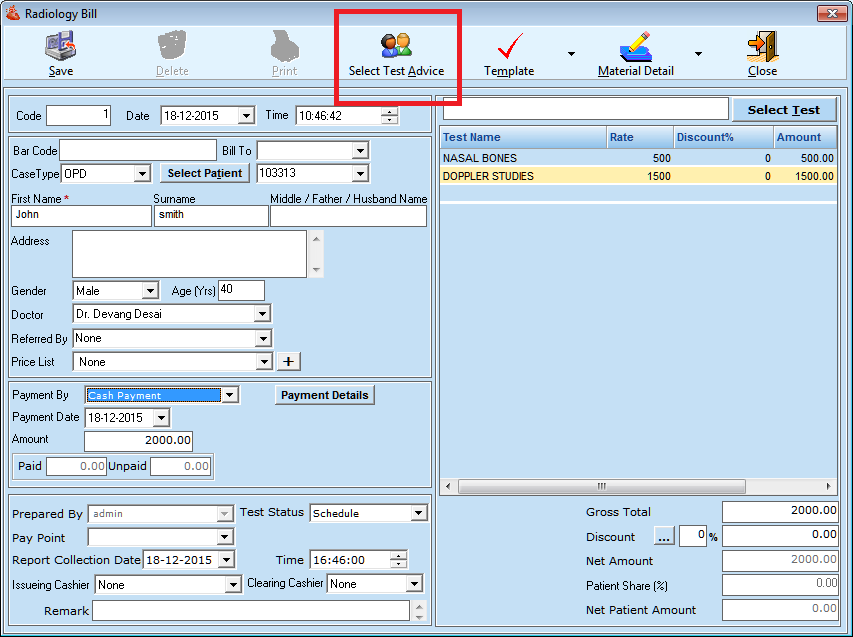
4. Go to Radio Bill Select advice from "select lab advice button" and create bill.
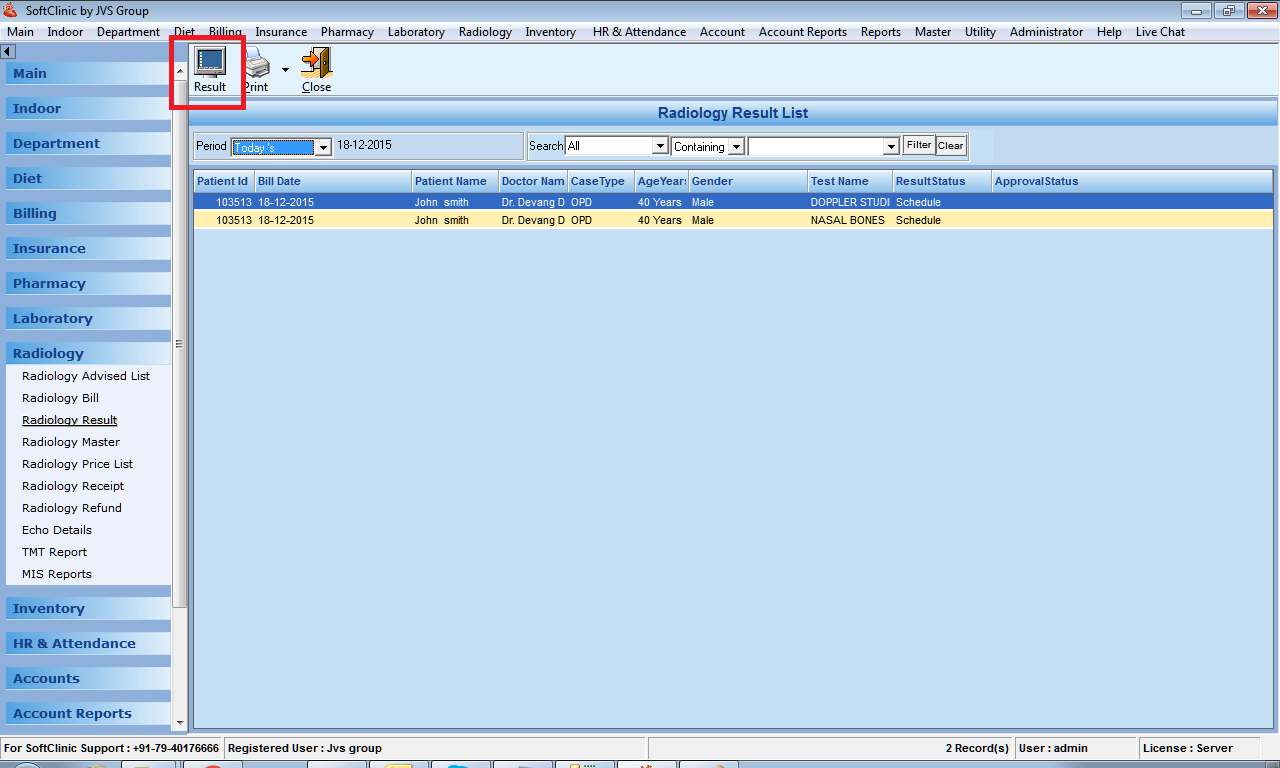
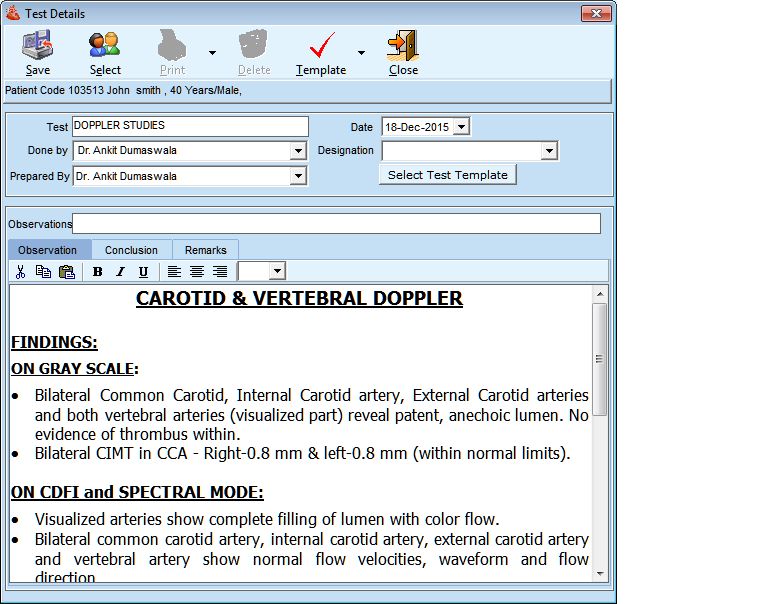
5. Go to Radiology result, select the patient from list and click on result button to write the result data in it.
Comments
2 comments
Is Radiology module required to be purchase?
Yes, you need to purchase.
Please sign in to leave a comment.