
Settings
General:
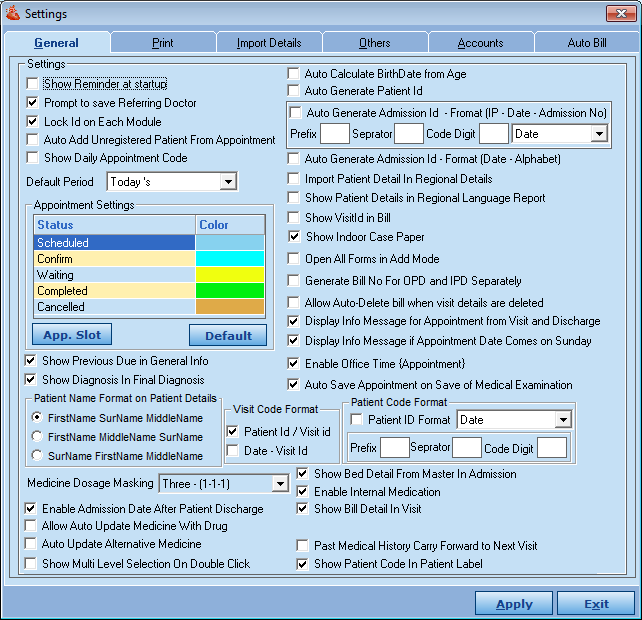
There are various user defined settings on this window, where the user can select settings as per his/her preference of use and then Software works as per these settings. e.g.
Appointment Setting: It sets appointment color in the list as per its status for e.g.: confirm – blue, completed –green.
Medicine dosage marking: 1-1-1
Print:
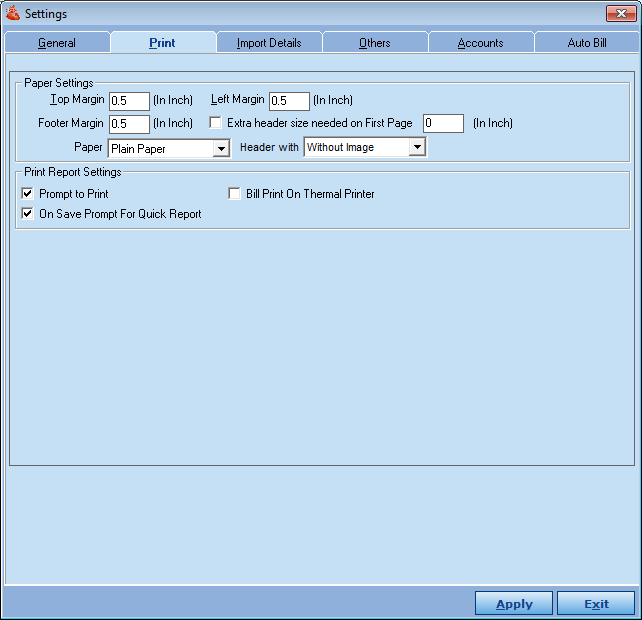
Set Paper Setting, Print Setting, Visit Summary PDF File Path from here
- Paper setting sets the paper type and margin from here.
- Print setting: Set the print layout, when users click on “print” button on any list of the screen.
- Visit Summary PDF File Path: Set the destination path.
It shows the important information on the basis which is followed by the patient.
Import Details:
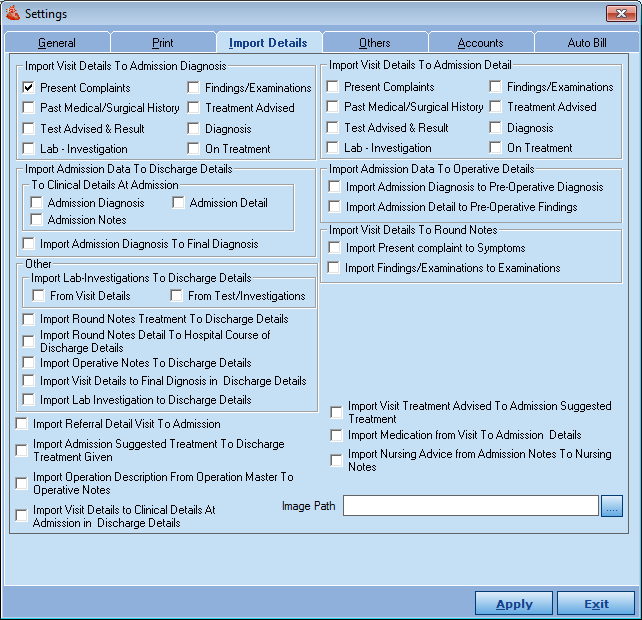
Import the following details from one place to another place according to the user can select setting as per his preference of use.
Others:
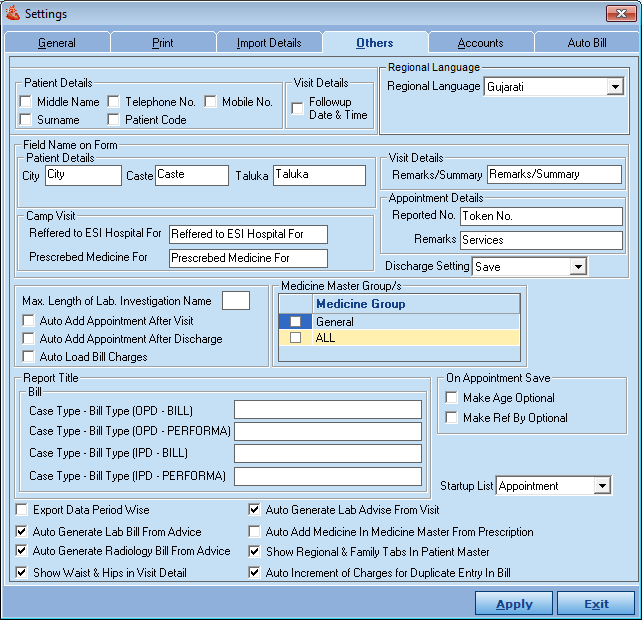
In other settings, a user can set various secondary settings like compulsory Fields, Field Name on form, Report title, Medicine Master Group etc.
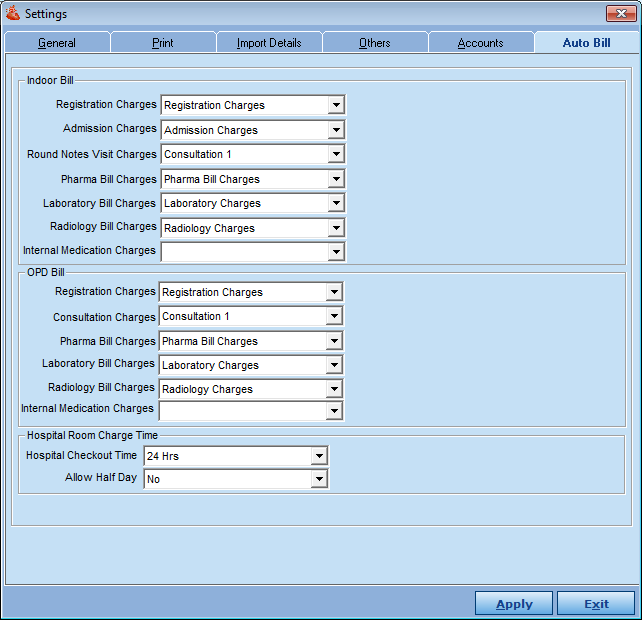
Auto Bill:
This shows what type of charges should be loaded in the bill in various departments. Click on “Auto Bill” tab, below screen will open :
Comments
0 comments
Please sign in to leave a comment.